
Most online shoppers today browse and buy on their phones. If your OpenCart store only has a website, a large portion of potential orders will simply go to a competitor that provides a mobile app that loads faster, saves addresses, and sends timely reminders. Getting a mobile app built from scratch, however, is neither cheap nor quick for most store owners. KnowBand’s OpenCart Mobile App Builder solves this directly. It is a pre-configured extension that builds Android and iOS apps for your OpenCart store, no developers needed, no code to write. Share your requirements and get working apps in two to three days.
The Problem: Your Website Is Not Enough Anymore
A mobile-responsive website and a mobile app are not the same thing. Responsive sites load more slowly, cannot send push notifications, and miss out on features like fingerprint login, real-time order tracking, and wishlist saving. Customers who shop on apps convert at a higher rate and return more often.
For OpenCart store owners, the traditional route to fixing this, hiring developers and maintaining separate Android and iOS codebases, is expensive and slow. Many stores delay the decision for months. Meanwhile, cart abandonment stays high, and mobile traffic underperforms.
KnowBand’s OpenCart Mobile App Builder offers a direct alternative to all of that.
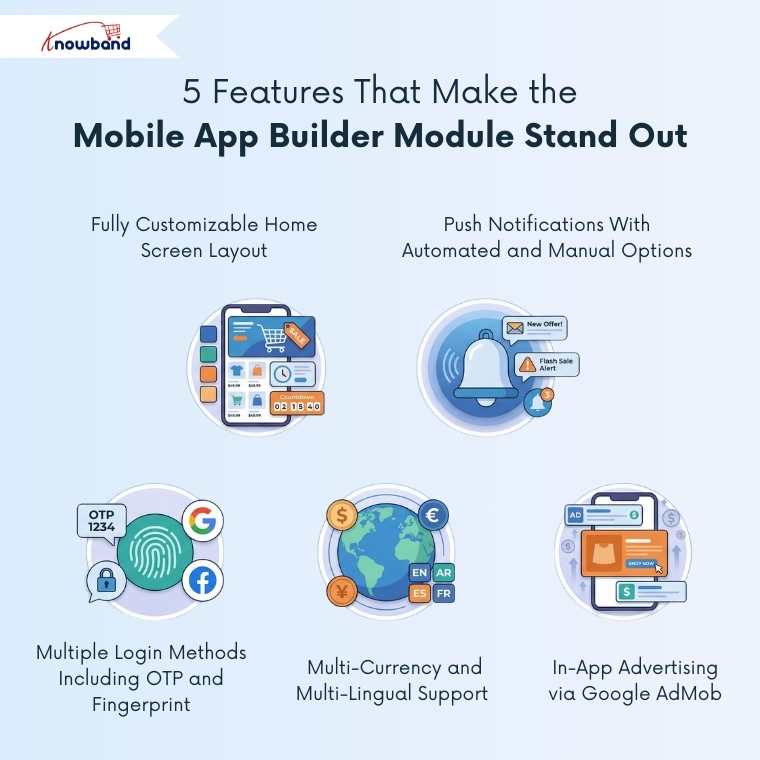
5 Features That Make the Opencart Mobile App Builder Module Stand Out
1. Fully Customizable Home Screen Layout
The app’s home screen is built entirely through the admin panel using a drag-and-drop editor. You can add sliding banners, grid banners, square product listings, countdown timer banners, top category blocks, recently viewed products, and more. Videos are supported; hence, admins can add a YouTube link or upload a video under 2 MB directly into banner elements.
Moreover, admins can save multiple layouts and switch between them from General Settings. Thus, updating the home screen for a sale or new collection takes minutes, with no developer required.
2. Push Notifications With Automated and Manual Options
Moreover, from the Push Notifications tab, admins can set up automated messages for order confirmations, delivery status updates, and abandoned cart reminders. These run without manual intervention once configured. For campaigns and announcements, there is also an option to send a common notification to all app users at once.
Customers can see all past notifications inside a dedicated notification tab in the app. Firebase key JSON file upload is also supported in the backend, following Google’s deprecation of the older Cloud Messaging API.
3. Multiple Login Methods Including OTP and Fingerprint
A complicated login process loses customers before they even reach a product. The module covers email login, phone number login with OTP, fingerprint login, Facebook login, and Google login. Each can be enabled or disabled individually from the General Settings panel.
The sign-up pop-up position on the home screen is also configurable. Thus, it can appear at a point in the user journey where it makes sense rather than the moment someone opens the app. Whether the phone number field is mandatory at registration is a separate toggle as well.
4. In-App Advertising via Google AdMob
Furthermore, the Advertisement Setting integrates Google AdMob, letting store admins place banner ads across the home page, product pages, category pages, cart, checkout, and CMS pages. Each section has its own Ad Unit ID field and position selector.
On the product page, ads can go below the product image or above the Add to Cart button. On checkout, placement options include the top of the screen, bottom, above products, or below shipping methods. Thus, this makes it possible to generate ad revenue through the app without cluttering the shopping experience.
5. Multi-Currency and Multi-Lingual Support
Last but not least, the Mobile App Builder Module also supports multiple currencies, multiple languages, and RTL (Right to Left) display, which matters for stores serving Arabic, Hebrew, or Urdu-speaking customers. These settings can be configured directly from the admin panel. Thus, no separate setup is required.
Why the Opencart Mobile App Builder Matters for Your Store
The app carries over everything from your OpenCart store, payment methods, shipping methods, coupons, vouchers, inventory updates, and product types, without needing to manage two separate systems. Additionally, real-time order tracking and the re-order feature in the My Account screen reduce customer service queries and bring repeat buyers back faster.
On the technical side, the apps support Android 4.2 and above and iOS 9 and above, covering both tablet and mobile devices. Native payment integrations like Stripe, PayPal, and Apple Pay can be added on request.
Conclusion
Building a proper mobile app has always been the right move for eCommerce stores; the barrier has just been the cost and time involved. KnowBand’s OpenCart Mobile App Builder removes both. Purchase the extension, share your app details, and have working native Android and iOS apps delivered in two to three days.
The module covers everything from home screen design and push notifications to in-app ads and multilingual compatibility. Hence, for OpenCart store owners who have been holding off on going mobile, this is a practical and well-rounded place to start.


