
The OpenCart Form Builder makes it possible for your team to develop forms for customer queries, product feedback, and short surveys without sending every form change to a developer. A practical OpenCart Form Builder lets your team create forms, publish them where customers are already interacting with the store, and manage submissions directly from the admin panel.
The challenge with developing a form is not “where should I add the form”; it is knowing what to ask, where to ask, and what to do afterwards. Furthermore, a form that asks for too many questions can discourage the customer’s response, while a form with no proper follow-up setup simply creates another inbox to ignore.
For stores that need this workflow without custom development, the OpenCart Form & Survey Builder by Knowband provides a way to build and manage forms directly from the OpenCart admin panel.
Why Should Customer Enquiry and Feedback Forms Be Different?
A contact enquiry and a customer survey may both collect information, but they serve different purposes.
An enquiry form enables the customer to state a problem or need. This could be, for instance, a customer looking at a certain product and having a query about compatibility, availability, size requirements, or bulk orders. The form should include a message field and a proper way to contact the enquiry department.
On the other hand, feedback forms are meant to do something else. The store requires a buyer to rate their latest experience, give reasons why they had difficulty using a product, or give suggestions. In any case, the post-purchase survey must cover only a few decisions that the company needs to make.
This is because different situations call for different forms. An enquiry form may pick out what is not clear about the product before purchase, while a survey form can provide information about the situation after purchasing.
According to SurveyMonkey’s 2026 benchmark guide, largely based on 2025 data, factors influencing participation include, among others, length, timing, audience, incentives, trust, and mobile readiness. Shorter surveys have shown positive results, with almost half of respondents willing to spend one to five minutes on a feedback survey.
What Should Be the Ideal Number of Form Fields?
A common mistake is to treat every detail of customer information as a required field.
Customers don’t see the internal value of each field. They see the amount of work being asked of them, so keep the number of form fields limited.
Baymard’s ecommerce research found that the average checkout flow in 2024 contained 11.3 fields, while most sites could achieve the checkout with about eight. Its research also found that 17% of users had abandoned because checkout complexity was a problem. These figures concern checkout rather than every type of store form, but the usability lesson is relevant: unnecessary input creates friction.
For an OpenCart feedback or enquiry form, start with the minimum information needed to act on the submission.
A useful field-selection rule
Before adding a field, ask what the team will do with the answer.
If a customer is asking about a product, name, email, product reference, and question may be enough. If you’re running a satisfaction survey, a rating plus one optional explanation can be more useful than a long demographic questionnaire.
A number field will work well with quantities, a dropdown will limit the choice list, and a file upload would help if customers have to prove a product is broken and need to provide some evidence.
The library of drag-and-drop fields included in Knowband’s OpenCart Form Creator includes text, text area, e-mail, telephone, number, date, time, radio buttons, check boxes, drop-down, file upload, rating, NPS, matrix, slider, hidden fields, headings, images, audio, video, page break, and more.
Use the OpenCart Form Builder to Align the Form with the Customer Journey
An optimal design of OpenCart Form Builder involves choosing the right placement for the form. In other words, instead of placing all forms in one position, you should think about the places where customers will benefit most from a form.
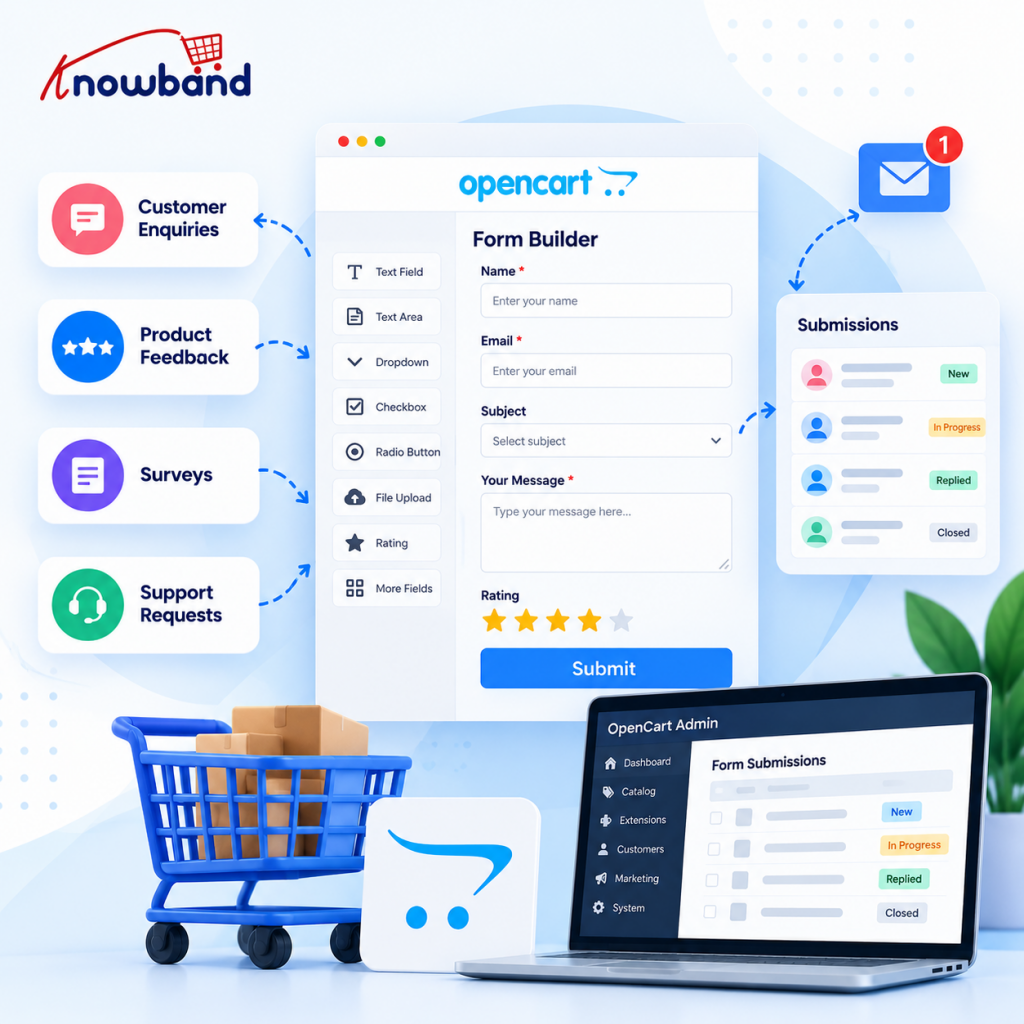
So, a product inquiry form is more useful near products, since here customers will be able to ask questions regarding the purchase they are making. A general inquiry form may be added on the Contact page, while a feedback form should be positioned after the purchase or on a related information page.
The OpenCart Form Builder allows placing forms on different OpenCart templates, such as Product, Checkout, Home, Contact, Category, Information, Search, Account, Manufacturer. The list of possible form placements also includes content positions, columns, header, and footer. This makes it easier to place each form where it naturally fits the customer journey without making changes to the theme files.
Use a dedicated page when the form needs context
Some forms deserve their own URL. A detailed wholesale enquiry, service request, or structured customer survey can be easier to understand when the surrounding page explains why the store is collecting the information.
The Knowband extension supports form embedding through shortcodes as well as a separate form page with a configurable slug, title, meta title, meta description, and multilingual inputs. That makes a longer form easier to present as a focused destination rather than squeezing it into an unrelated store page.
This is also where an OpenCart Form Creator can be useful for marketing teams that need to publish several purpose-specific forms without rebuilding each one from scratch.
Give Customers Clear Feedback After Submission
Submission should not feel like the end of a process for the customer.
In case of the enquiry, the store needs to confirm that the message was received by the store.
In case of the survey, the store could provide a thank-you note and, when needed, an explanation of how the feedback will be used.
The OpenCart Advanced Form Builder supports admin email notifications and customer auto-responders. Admin messages can use submitted field values, while the auto-responder can confirm receipt or communicate the next step.
This workflow is particularly useful when several people handle enquiries. The notification tells the internal team that a new submission arrived, while the customer receives an immediate acknowledgement instead of wondering whether the form worked.
Protect Feedback Forms from Spam Without Adding Unnecessary Friction
Public forms attract automated submissions. Leaving spam protection until after a form is already flooded makes the problem harder to manage.
The extension supports Cloudflare Turnstile and also provides IP and email blacklist controls. Turnstile can be configured globally and added to individual forms, while blocked addresses can be filtered before a submission is processed.
Security options include reCAPTCHA where appropriate, while the extension’s setup uses Cloudflare Turnstile. Security should protect the form without making legitimate customers solve a puzzle just to ask a question.
For stores using a form as a conversion touchpoint, unnecessary friction can undermine the reason for adding the form in the first place.
Turn Responses into Something the Team can Actually Use
Collecting submissions is only useful if someone can review them.
A practical OpenCart Form Generator Plugin should fit the store’s working process. Teams need to know which form generated a response, what the customer wrote, when the submission arrived, and whether someone has replied.
The store staff could use filters based on forms, submission details, email subject, or reply status, and open submissions and respond directly from the admin panel. Replies could also be exported to a CSV file for further processing.
For a store that grows, this central view of all submissions could become more helpful compared to separate email threads with enquiries. A team can review recurring questions and decide whether the product page, help content, or checkout process needs improvement.
Design Surveys Around Decisions, not Curiosity
A survey should answer a business question.
Suppose customers are abandoning a product category because they cannot find the right variant. Asking ten broad satisfaction questions may produce interesting comments without identifying the problem. A shorter survey that asks customers what prevented them from choosing a product may produce more actionable evidence.
According to SurveyMonkey’s research on abandonment, survey length is a consistently proven factor, and its recommendation is to keep a pulse survey up to 5 questions. Its 2025 platform statistics show that response rate varies depending on the channel.
An OpenCart Advanced Form Builder can support different question types, but flexibility should not become an excuse to add more questions. Use rating or NPS score fields when a standardized score will help you compare results over time, and leave open text for the issues where you genuinely need the customer’s words.
Use Templates and Reusable Structures for Recurring Forms
Stores often need variations of the same basic workflow. A support request, wholesale enquiry, product question, and feedback form may share common contact fields while asking different questions.
An OpenCart Form Creator can also reduce repetitive setup, especially when multiple people manage the store. The extension includes form templates and a visual builder, allowing teams to start from a defined structure and adapt it to the specific purpose.
Form titles should be as specific as possible, such as “Product Enquiry”, “Wholesale Request”, and “Feedback Post-Purchase” instead of creating multiple forms with ambiguous titles such as “Customer Form”.
Don’t Treat Form Placement as a One-time Decision
The first choice of the location may not be the most appropriate choice.
A product-page enquiry form that attracts few enquiries should be checked to ensure visibility of the form when customers require assistance. If a survey gets plenty of views but few responses, shorten it before assuming customers aren’t interested in feedback.
Baymard’s form research emphasizes reducing visible effort, removing irrelevant fields, and using clear labels. Its ecommerce form guidance also notes that long or complicated forms can intimidate users, while clear descriptions help people understand what information belongs in each field.
For OpenCart stores, the practical approach is to change one meaningful variable at a time. Move the form, remove a field, change the question wording, or adjust the timing, then compare the resulting submission pattern.
A Practical OpenCart Feedback Setup
A small store can start with three forms.
The first is a product enquiry form placed below product information. Keep it short and ask for contact details plus the customer’s question.
The second is a post-purchase feedback form. Use a rating or NPS score, then offer one optional text field for context. Keep the survey focused on one decision, such as product satisfaction or the ordering experience.
The third is a general enquiry form for requests that don’t belong to either workflow. Add a category selector so the store can route questions internally.
From there, review the submissions regularly. Look for repeated questions, complaints that appear across multiple products, and requests that could be answered directly on the site.
Common Mistakes that Reduce Useful Responses
A technically correct form can still perform poorly.
Avoid making every field mandatory. Required fields should have a clear purpose, especially when the customer is trying to ask a simple question.
Don’t put a long survey on a page simply because the builder allows many fields. Flexibility is valuable only when the final form remains easy to use.
Don’t collect feedback without deciding who owns the response. An enquiry that reaches an unmonitored mailbox is still missed.
Don’t ignore mobile users. Forms should have clear labeling, reasonable field size, and order to avoid looking never-ending on mobile devices.
Ultimately, do not judge the efficiency of the forms solely by the amount of responses. Fewer responses that are relevant will be more valuable than a lot of poor-quality responses.
Manage Feedback with a Repeatable Workflow
Once forms are live, establish a simple operating routine.
Review new enquiries frequently enough for your store’s support expectations. Tag recurring themes internally, even if the form itself doesn’t need another field for that purpose.
As for survey responses, analyze trends rather than acting upon an individual response. While a bad rating with an explanation is valuable, repetitive problems in survey responses may signal a change in the product page, policy, or process.
The admin panel also provides form analytics and reporting capabilities, while CSV export gives teams a way to work with response data outside the store when required.
Knowband’s extension also supports form scheduling and response limits, which can help when a survey should run only during a defined campaign or when a store wants to cap participation.
This OpenCart Form Generator Plugin also includes GDPR compliance considerations for handling collected data, so stores should configure their forms with their own applicable privacy requirements in mind.
Conclusion
Gathering information and inquiries from customers in OpenCart without writing any code is mostly a process issue and not a coding one. Ensure that the questions remain focused, position the form in the right place, protect the public forms from spam, and provide your team with an easy-to-use means for handling them.
The OpenCart Form Builder allows store teams to have the flexibility of dealing with all contact inquiries, feedback, surveys, and other types of data gathering from the administration area. The most effective results will always be achieved when avoiding the temptation of creating complex forms just because you can.
If your store requires an efficient method of developing these processes, consider trying out the OpenCart Form & Survey Builder. For teams that need more control over structured customer interactions, the OpenCart Advanced Form Builder approach can be useful without requiring theme edits for every new form.
For more such reads, visit:


