
If mobile accounts for most of your visits but produces far fewer orders, the problem may not be traffic quality. Your store may simply be creating friction in the mobile shopping experience. The OpenCart Mobile App Builder gives OpenCart merchants another way to redesign that journey around a smaller screen, app navigation, quicker account access, and a more focused checkout.
Latest benchmark figures put things into context. Shopify says Contentsquare’s 2026 benchmark shows mobile accounting for about 70% of ecommerce traffic, while desktop had a 3.4% conversion rate versus 2.0% on mobile. It isn’t evidence that all OpenCart stores experience the same disparity, but it’s definitely something to keep in mind: mobile traffic does not automatically equal mobile revenue.
For OpenCart merchants looking to improve this mobile experience, the OpenCart Mobile App by Knowband provides a dedicated way to bring the store experience to Android and iOS users.
When mobile traffic grows faster than mobile sales
A store can attract mobile visitors for many reasons. Search engines, social media, paid ads, emails, and product links shared on other websites drive traffic to the smartphone device. These users could be browsing, comparing prices, checking for stock, or looking to purchase the item.
The problem starts when the shopping interface treats a phone like a smaller desktop. Baymard’s mobile ecommerce research describes mobile sites as having a significantly poorer conversion rate than desktop in some cases, while its usability testing has identified thousands of mobile-specific issues across major ecommerce sites.
For an OpenCart merchant, the useful question is not simply, “Do I need an app?” The better question is where the current mobile journey loses intent.
Analyze your analytics data based on device and funnels. When there is good product viewing data but a decrease in add-to-cart rates, dig into product discovery, filtering, images, options, and the add-to-cart process. If carts are healthy but completed orders are weak, checkout deserves much closer attention.
A practical diagnostic is to compare mobile and desktop at these points:
- product-listing engagement
- product-page views to add-to-cart
- cart to checkout
- checkout start to purchase
- repeat purchase rate
That breakdown tells you whether your biggest leak is browsing friction or transaction friction, and it gives you a cleaner way to track the mobile conversion rate over time.
Why a responsive store can still struggle on phones
A responsive design addresses an important issue: the website changes to accommodate various screen sizes. That does not guarantee that every interaction feels natural on a phone.
Small touch targets, long forms, awkward menus, repeated sign-ins, and checkout fields can make a technically responsive store frustrating to use. In Baymard’s 2025 checkout benchmark, 63% of mobile websites had poor checkout UX compared to 64% of desktops. Apps performed slightly better in this particular test, but still 46% of them had a poor UX experience for the checkout process.
The distinction matters. An app can remove some browser-related friction, but poor UX can survive a change of channel.
Consider a shopper buying a product with several variants. On a phone, they may need to open a category, apply filters, open the product, select an option, scroll to the purchase control, inspect the cart, sign in, enter shipping information, select delivery, and complete payment. Each step creates another opportunity for interruption.
A better mobile journey reduces unnecessary movement. Search should be easy to reach. Category navigation should make sense with one hand. Product information needs to remain readable without endless zooming. The cart should make quantities, shipping costs, discounts, and totals easy to understand.
That is where a dedicated Mobile App for OpenCart can become useful, especially for stores with meaningful repeat traffic.
What an app changes in the shopping journey
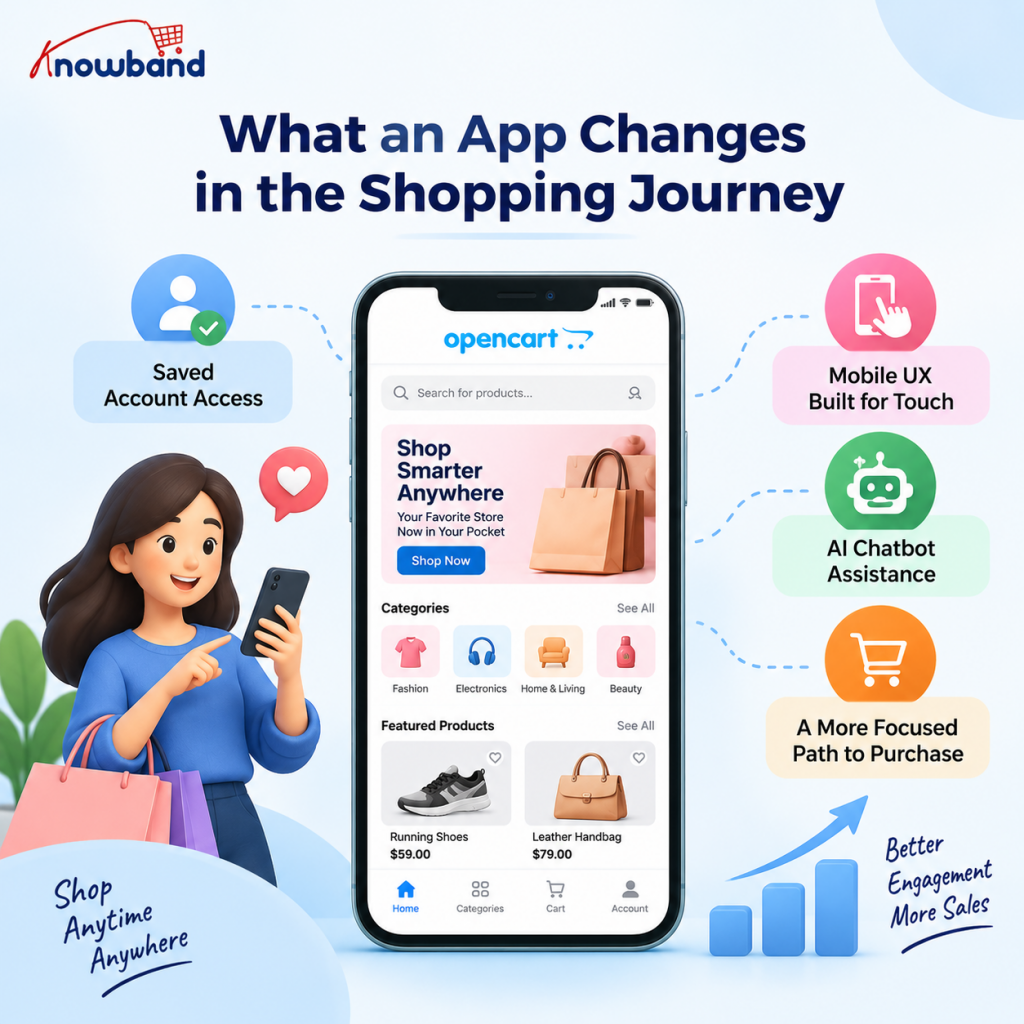
A native app gives you a controlled environment instead of asking a mobile browser to carry the entire experience.
The advantage is not simply that the interface looks different. App shoppers can have a more focused path back to the store, and features such as saved account access, app navigation, and mobile UX built for touch can support repeat shopping.
The app can also include AI-powered chatbot assistance, allowing shoppers to ask questions about products, prices, stock, categories, and comparisons while they browse. This gives customers quick access to product-related information without having to leave the app or search for answers elsewhere.
Research also needs context. MobiLoud claims much higher average conversion rates from their app users benchmarking efforts, but notes that the difference is heavily dependent on the intentionality of the audience. The people who downloaded the app to their device already showed stronger loyalty to the brand compared to someone who lands on the site for the first time via search or ad.
That means an app should not be judged as a magic replacement for mobile web. The OpenCart Mobile App Maker becomes more useful when the store has a clear repeat-purchase audience.
For example, a fashion store may get most first visits from Instagram on mobile web. After a customer has purchased once, the app can offer a more direct route for the next visit. A grocery, beauty, electronics accessory, or specialty retail store with repeat buying patterns may find that model particularly practical.
Where the OpenCart Mobile App Builder fits
The OpenCart Mobile App Builder is built to convert any OpenCart store to a native Android and iOS app based on the Flutter framework. The module documentation mentions live synchronization between the website and the app, whereas the app itself provides merchants with real-time synchronization without requiring a new product management solution. Knowband developed this to reduce the operational overhead of running a separate mobile catalog alongside the main store.
That architecture addresses an obvious operational concern. If a product price, stock quantity, category, or order changes on the store, maintaining a second catalog manually would create unnecessary work. The module’s documentation states that website changes are automatically reflected in the apps through live synchronization.
The app also keeps familiar ecommerce functions available on the smaller screen. Customers may navigate through the categories, search for products, apply filters and sort, see details of the products, add the product to the wishlist, add items to the cart, and complete the checkout process. The product catalog is linked to the store and is not a separate inventory source.
For a store owner, that makes the OpenCart Android and iOS Mobile App Creator Plugin from Knowband less about adding a second storefront and more about giving mobile-first customers a purpose-built shopping surface.
Checkout is where the conversion argument gets serious
A high mobile traffic share means little if customers reach the cart and then stop.
Baymard’s data estimates cart abandonment at roughly 70% across ecommerce stores, and their 2025 checkout benchmark states that large ecommerce sites could potentially see up to a 35% increase in conversion from improved checkout design. The figures above do not pertain specifically to OpenCart, so consider them in the broader context of the ecommerce industry.
The OpenCart mobile app module includes a simplified checkout flow and supports website payment and shipping methods in the app, giving you a clearer checkout experience to test as one mobile journey. Its documentation also describes guest checkout, multiple login methods, and order-related screens that let customers review order information after purchase. A customer who takes the time to shop in your store for ten minutes will probably leave because of the length of the forms to be filled in.
When testing the checkout in your own online store, try it as a customer, not an administrator; use your phone, a new account, guest mode, a slow internet connection, and the payment method your customers use most often. Watch how often you have to scroll, switch fields, correct mistakes, and leave the checkout to find missing information.
Retention is the other half of the app case.
Conversion gets the attention, but retention is where an app can become operationally useful.
The module supports push notifications for order creation, order-status updates, and abandoned carts. Store admins can also send notifications to app users.
Used carefully, these messages can support the existing customer journey rather than interrupt it. An order update is useful because the customer expects information. The abandoned cart email helps a potential customer return to complete the incomplete transaction. A promotional email might work in the case of a legitimate promotion or holiday season.
That creates a channel for abandoned cart recovery without relying only on the customer remembering to reopen a browser tab. Used as part of a broader mobile commerce strategy, the channel can complement email and other retention work.
The same principle applies to order tracking. If customers can check their purchase status inside the app, the store gives them a reason to return between transactions. The documentation confirms order-history and delivery-tracking functionality in the app.
The OpenCart Mobile App Maker can also support a more branded home experience through configurable banners, categories, product blocks, recently viewed products, and other home-screen elements. The product page confirms customizable home-screen layouts and flexible navigation options.
Build the app around your biggest mobile leak
Begin by thinking about what behavior you need to improve. The Knowband module gives store admins enough configuration flexibility to prioritize one area at a time rather than enabling everything at once.
For poor customer discovery, concentrate on search, navigation, filtering, and organization. For cart abandonment, focus on account access, cart clarity, shipping options, payment options, and form friction.
If repeat customers are already important, configure notifications with restraint and make the app useful between purchases. A customer who opens the app only to dismiss irrelevant promotions is not becoming more loyal.
Home-screen flexibility also needs editorial discipline. The module allows store admins to configure different banners, product displays, categories, and other elements, including multiple saved layouts.
A practical OpenCart example would be a seasonal store that changes its app home screen for a major sale. Instead of rebuilding the store catalog, the merchant can adjust the presentation layer, feature relevant categories, promote selected products, and use the countdown banner where appropriate.
Technical checks before you launch
An OpenCart mobile app builder won’t fix a weak commerce operation underneath it.
Before implementation, audit the OpenCart store itself. Verify the integrity of product data, inventories, shipping rules, payment methods, taxation, coupon behavior, and customer accounts. Then confirm that the app experience matches those business rules.
Compatibility also matters. The current product page lists compatibility with OpenCart v2.1.x through v4.x.x and identifies version 4.8 as the latest version listed there.
The mobile app also includes multi-language and RTL support. That can be useful when the same catalog serves audiences with different language or writing-direction requirements, especially where multi-language support is part of the storefront plan.
Analytics should be part of the launch plan too. Don’t measure only installs. Compare app and mobile-web behavior across product discovery, cart creation, checkout completion, repeat orders, and revenue per user. A higher install count with weak active usage is not a successful mobile strategy.
Don’t abandon mobile web
There is always the desire to believe that any problem you have with your mobile efforts can be solved through an app. That is the wrong approach.
Mobile web remains critical because new customers can discover your products without installing anything. Search engines, social networks, advertisements, email campaigns, and shared links still depend heavily on a browser-based entry point.
The stronger strategy is usually to give each channel a clear job. Your mobile website should make discovery and first purchase easy. Your app should give returning customers a faster, more convenient relationship with the store.
That also means fixing obvious mobile-web problems before spending money on an app. If product pages are broken, shipping information is unclear, or payment fails, moving the same problems into an app will not solve the underlying issue.
A simple decision framework for OpenCart merchants
An app deserves serious consideration when several of these conditions are true:
- Mobile already generates a large share of sessions or revenue.
- Customers have a meaningful reason to purchase again.
- Mobile conversion trails desktop enough to affect revenue materially.
- Checkout friction appears in analytics or usability testing.
- Customers would benefit from order updates or relevant notifications.
- Your catalog, inventory, payment, and shipping setup is stable enough to synchronize.
- You can give the app a useful purpose beyond sending promotions.
If most of those conditions are absent, focus first on mobile-web performance and checkout usability.
For stores that do meet them, an OpenCart Android and iOS Mobile App Creator Plugin can provide a practical route to a dedicated app without requiring the merchant to operate a completely separate catalog and order system. The manual describes a three-step process involving module purchase and installation, sharing app requirements, and receiving the Android and iOS apps. Those app files can then be published through the relevant app store process.
The real fix is reducing friction, not chasing a benchmark
The headline mobile-versus-desktop gap is useful because it forces you to look at the money coming from your largest traffic source. But a benchmark cannot tell you where your particular OpenCart store is leaking sales.
Start with your funnel. Find the exact step where mobile users fall behind, then test the smallest meaningful change. If the same friction appears across your mobile web journey and customer interviews, a dedicated app becomes a stronger strategic option.
The OpenCart Mobile App Builder can give that option a concrete foundation: native Android and iOS apps, live store synchronization, mobile-focused browsing, simplified checkout, account options, notifications, and configurable app navigation are all documented capabilities.
The sensible next step is not to promise that an app will magically double conversion. Compare your current mobile funnel with the experience you want repeat customers to have, then assess the module against those requirements. If the fit is there, review the Mobile App for OpenCart before planning implementation.
The idea is straightforward: make the existing customer acquisition channel easier to buy from, easier to come back to, and easier to manage.


